
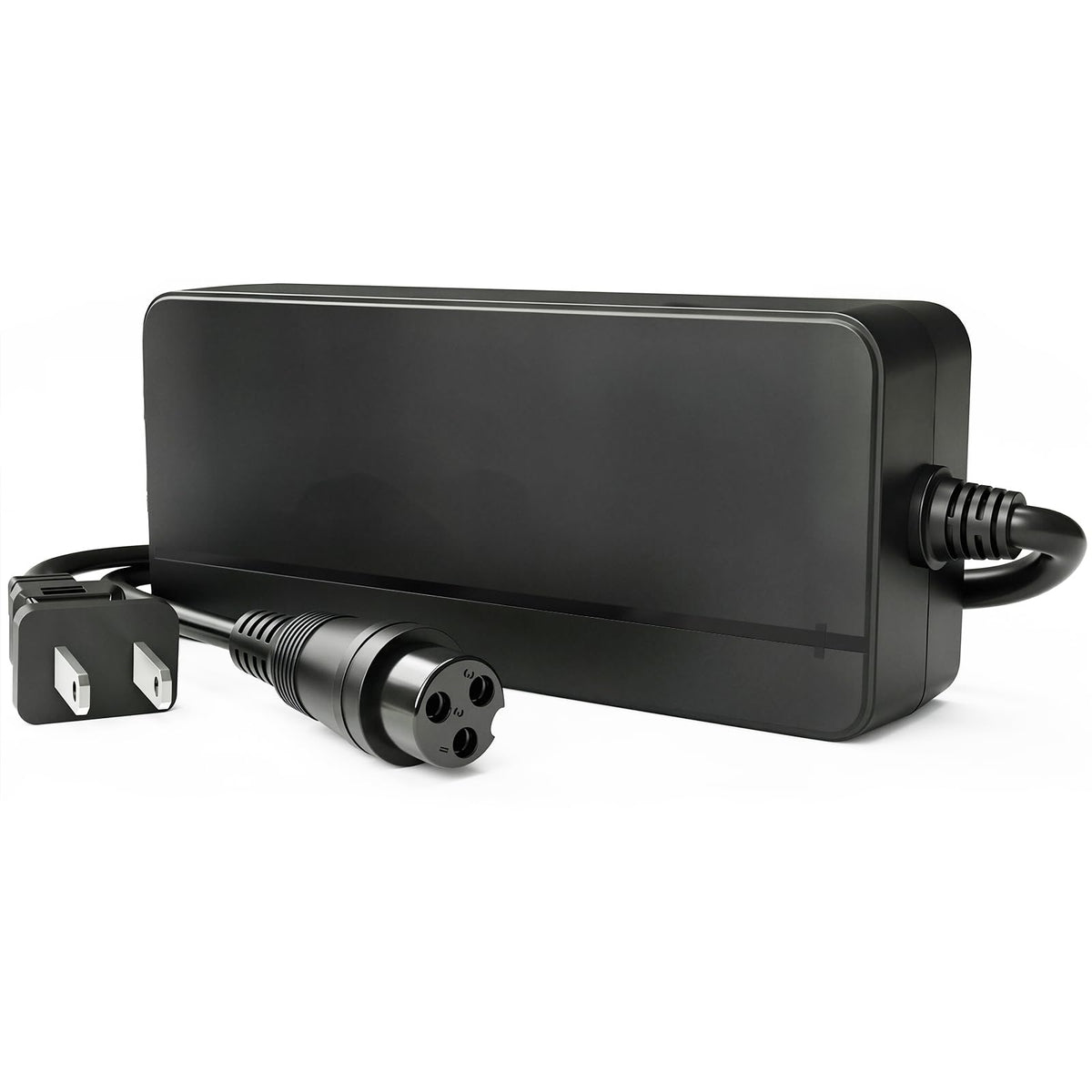
If you need a replacement charger for a Razor MX350, MX400, E100, E200, E300, or a related model, the model name is only the starting point. Razor products can vary by production version, battery chemistry, charging port, and connector wiring. A plug that fits is not enough to prove that a charger is electrically compatible.
This guide explains how to choose a Razor scooter charger replacement by checking the battery label, original charger label, output specification, connector, and polarity before you buy.

Quick answer: what charger does your Razor need?
For a replacement charger to be a valid candidate, all of the following must match your exact Razor version:
- Battery chemistry: sealed lead-acid (SLA), lithium-ion, or another chemistry
- Nominal battery voltage
- Required charger output voltage and current
- Connector shape, diameter, keying, and pin count
- Connector polarity and pin wiring
- Device model and production version
BICMDO’s current 24V Razor replacement charger is specified for select 24V lead-acid/SLA versions, with a 29V 2A output. It must not be used with a lithium-ion or LiFePO4 battery, and the connector and polarity still need to match.
Razor model names do not guarantee one charger type
Names such as MX350, MX400, E100, E200, and E300 are useful when beginning a search, but they do not replace label verification. A product family may remain on the market for years while battery packs, charge ports, harnesses, or other components change between versions.
That is why the safest wording is “compatible with select versions,” not “fits every Razor.” Before ordering, check the product ID or version information on the scooter or dirt bike and compare the battery and original charger labels.
| Razor family | What to verify | Do not assume |
|---|---|---|
| MX350 / MX400 | Exact version, 24V battery label, SLA chemistry, charger output, connector, polarity | That every MX350 or MX400 uses the same port or wiring |
| E100 / E125 / E150 / E175 | Model version and all electrical and connector details | That the “E100 family” name proves interchangeability |
| E200 / E200S / E225S | Battery chemistry, nominal voltage, required output, port and polarity | That a matching three-pin shape is enough |
| E300 / E300S / E325S | Exact product version plus original battery and charger labels | That all E300-series production years share one charger |
| Pocket Mod / Dirt Quad / Ground Force and others | Full label-to-label comparison and manufacturer documentation | That inclusion in a general model list overrides a version mismatch |
Why can a 24V battery use a charger labeled about 29V?
“24V” usually describes the battery system’s nominal voltage, not necessarily the charger’s final output. The matching charger for a particular 24V lead-acid pack may therefore show an output around 29V. This does not mean any 29V charger is suitable.
The output profile must be appropriate for the battery chemistry and pack design. A charger intended for a lithium battery can behave differently from one intended for sealed lead-acid batteries even when the nominal system voltage sounds similar. Always match chemistry as well as voltage.
How to read the original charger label
Place the old charger label, battery label, and candidate replacement specifications side by side. Record these fields:
- Input: confirms the charger’s supported wall-power range.
- Output voltage: must match the device’s charging requirement.
- Output current: should match the approved charging current for the battery and wiring.
- Battery chemistry: the replacement must be designed for the same chemistry.
- Polarity symbol or pin diagram: do not infer polarity from connector shape.
- Part or model number: use it to cross-check documentation and version compatibility.
If a label is missing or unreadable, do not guess. Contact the device manufacturer or a qualified support team with clear photos of the scooter identification label, battery, charging port, and old connector.
Why the same plug shape is not enough
Two connectors can look almost identical while differing in diameter, keying, pin count, or wiring. A connector may also physically enter a port even when its polarity is wrong. Connecting an electrically incompatible charger can damage the charger, battery-management components, wiring, or battery—and can create a fire risk.

Compatibility checklist before ordering
Use this checklist before connecting any replacement:
- The device is the exact model and version you researched.
- The battery label states 24V lead-acid/SLA if you are considering the BICMDO product discussed here.
- The original charger output is approximately 29V and the required current is compatible.
- The connector has the same dimensions, shape, keying, and pin count.
- The polarity and pin wiring match exactly.
- The charging port has no bent, blackened, loose, corroded, or melted contacts.
- The battery is not swollen, leaking, unusually hot, impact-damaged, or water-damaged.
If any point is uncertain, stop and get model-specific confirmation before connecting the charger.
When the BICMDO 24V 2A Razor charger may be a fit
The live BICMDO product page describes a charger with these specifications:
- For compatible 24V sealed lead-acid/SLA systems
- Output: 29V 2A
- Input: 100–240V AC, 50/60Hz
- Red indicator while charging; green when full or in standby
- Designed for select versions of Razor models listed on the current product page
This makes it a candidate only after the specifications, charging port, and polarity have been verified. It is not for 24V lithium-ion or LiFePO4 batteries. Review the current Razor charger product page for the latest model list and product details, or browse the Razor charger collection.
Safe charging practices after you find the right charger
Correct compatibility is only part of safe charging. Follow the device manufacturer’s instructions and these practical precautions:
- Charge in a dry, ventilated area on a stable, nonflammable surface.
- Do not cover the charger or place it on a bed, couch, carpet, or other heat-trapping surface.
- Stay present while charging; do not charge while sleeping or away from home.
- Disconnect the charger when the charge cycle is complete.
- Keep the charger, battery, and connectors away from water and excessive heat.
- Stop immediately if you notice smoke, sparks, melting, a burning smell, swelling, or abnormal heat.
- Do not open or modify a charger or battery pack.
These recommendations align with the CPSC’s micromobility charging guidance. For additional troubleshooting, read Is It Normal for an E-Bike Charger to Get Hot? and Is It Safe to Charge an E-Bike Overnight?.
What do the red and green lights mean?
On the BICMDO product discussed here, red indicates charging and green indicates fully charged or standby. Indicator behavior is not universal across all chargers. A green light can also appear when there is no proper battery connection, depending on the charger design.
If the light is green but the battery remains low, unplug the equipment and check the connector, charging port, battery state, and model-specific instructions. Do not repeatedly reconnect an uncertain charger in an attempt to force charging.
Frequently asked questions
What charger do I need for a Razor MX350 or MX400?
Check the exact MX350 or MX400 version, battery label, and original charger label. The BICMDO charger in this guide is intended for select 24V lead-acid/SLA versions that require approximately 29V 2A output and the matching connector and polarity. It is not a blanket fit for every version.
Do Razor E100, E200, and E300 models all use the same charger?
Do not assume so. Products within these families can differ by version. Compare battery chemistry, nominal voltage, charger output, connector dimensions, and polarity for the exact unit.
Can I use a lithium charger on a 24V Razor lead-acid battery?
No. Charger selection must match battery chemistry. The product covered here is for compatible lead-acid/SLA systems and should not be used with lithium-ion or LiFePO4 batteries.
Is a 29V charger too high for a 24V battery?
Not necessarily. A 24V label commonly identifies nominal system voltage, while the approved charger output can be higher. However, only use the output specified for your exact battery chemistry and device.
Can I choose a higher-amperage charger to charge faster?
Only if the battery, wiring, charging port, and manufacturer specifications explicitly support that current. Higher current is not automatically a safe upgrade.
What information should I send for a compatibility check?
Send clear photos of the original charger label, battery label, charging port, connector from several angles, and the device’s model/version label. Avoid relying on a model name alone.
The bottom line
The best way to choose a Razor replacement charger is to verify the complete charging system—not just the scooter name or plug shape. Match the exact version, battery chemistry, nominal voltage, required output, connector dimensions, and polarity. For select 24V lead-acid Razor versions, BICMDO’s 29V 2A charger may be an appropriate candidate once every specification is confirmed.
If you are unsure, use the BICMDO contact page and send label and connector photos before ordering. Careful verification is safer, more reliable, and less expensive than testing chargers that only appear to fit.
Share:
Segway Ninebot Charger Guide: Voltage, Amps & Compatibility
Lectric XP4 Charger Guide: How to Match 54.6V, Connector and Charging Current